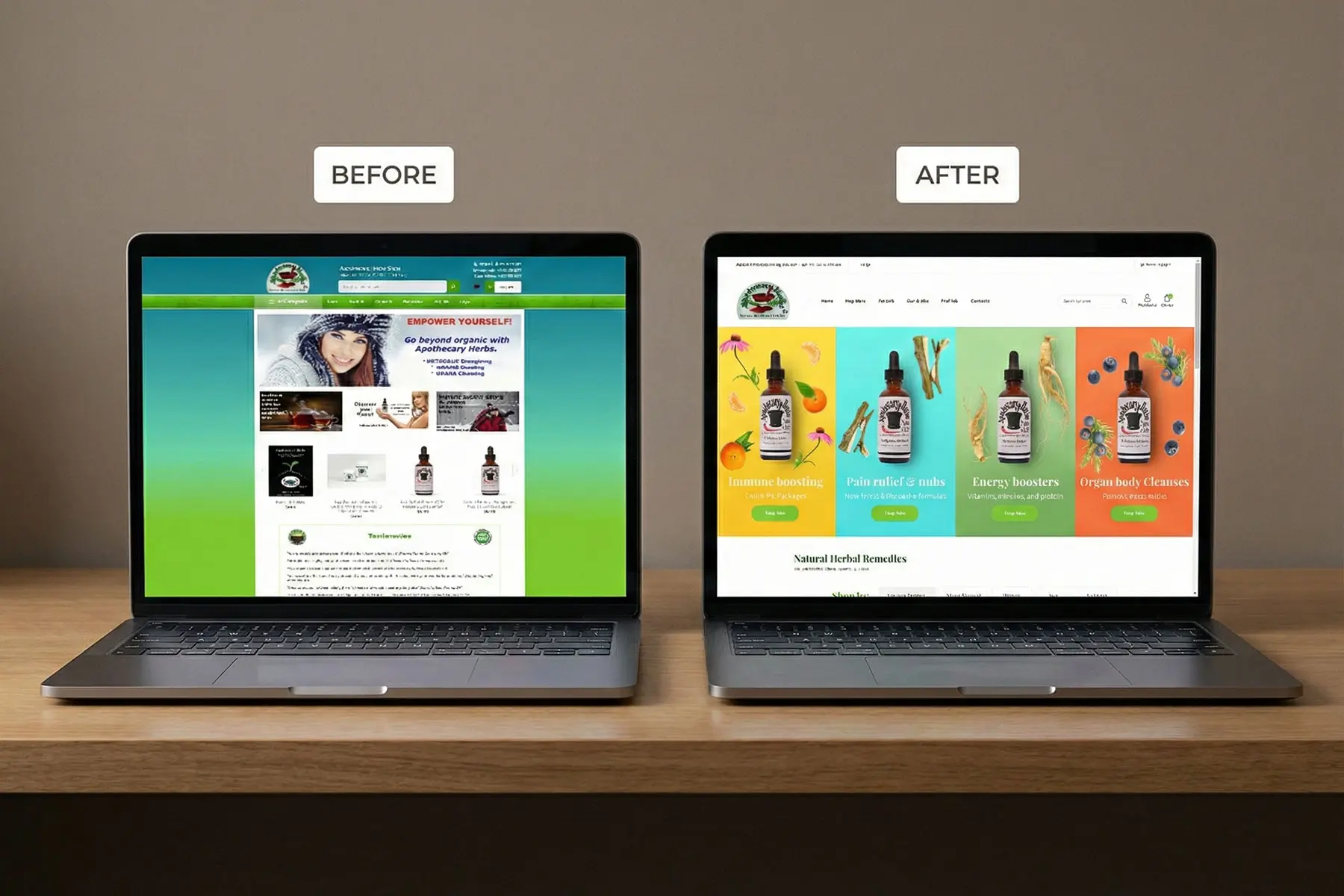
A Strategic Guide to Digital Lifecycles in 2025
In the fast-paced digital landscape, a website is never truly "finished." It is a living entity that requires constant care, evolution, and occasionally, a complete rebirth. But how do you know when it’s time to stop patching holes and start fresh?
The short answer: Industry standards suggest a full website redesign or recreation every 2 to 3 years.
The long answer, however, is more nuanced. It depends on your industry, your technology stack, and how drastically user behavior has shifted. This guide explores the "when" and "why" of website recreation, helping you distinguish between a visual refresh and a structural rebuild.
1. The Three Tiers of Updates
Before deciding on a timeline, it is crucial to define what "recreating" means for your organization. Not every update requires burning the house down.
The Refresh (Every 6–12 Months)
- Scope: purely aesthetic. Updating photography, tweaking color palettes, adjusting typography, or rewriting copy.
- Goal: To keep the site looking active and aligned with current marketing campaigns without touching the underlying code.
The Redesign (Every 2–3 Years)
- Scope: Significant changes to UX/UI, navigation structure, and page templates.
- Goal: To fix usability issues, improve conversion rates, and modernize the visual identity. The core CMS (Content Management System) often remains the same.
The Rebuild / Recreation (Every 3–5 Years)
- Scope: A "tear-down." Moving to a new CMS, changing the technology stack (e.g., PHP to React), or rewriting the backend code.
- Goal: To escape technical debt, drastically improve performance, or accommodate entirely new business models (e.g., adding e-commerce or a portal).
2. Seven Critical Signs It’s Time to Recreate
If you are unsure where you stand, look for these red flags. If you check off more than two, a full recreation is likely overdue.
1. The "Mobile-Patch" Problem
If your mobile site is just a desktop site squished onto a small screen, you are behind. Modern websites are "mobile-first," meaning the mobile experience is the primary design driver. If you find yourself hiding elements on mobile just to make them fit, you need a rebuild.
2. Speed as a Feature
Google’s Core Web Vitals have made speed a ranking factor. If your site takes more than 3 seconds to load despite caching plugins and image compression, the issue is likely deep in your code (bloated themes, outdated JavaScript). No amount of surface-level editing will fix this.
3. The "Frankenstein" Backend
Over the years, have you installed dozens of plugins or extensions to add features? If your marketing team is afraid to update a page for fear of breaking the site, or if simple text changes require a developer, your CMS is obsolete. A recreation allows you to clear this "technical debt."
4. Brand Evolution misalignment
Companies grow. A website built for a startup looks very different from one built for an established enterprise. If your sales team hesitates to send prospects to your website because "it doesn't look like us anymore," you are losing revenue.
5. Plummeting Conversion Rates
Traffic is steady, but leads are dropping. This often indicates that your User Experience (UX) friction is too high compared to competitors. Modern users expect seamless, instant interactions; an outdated interface feels "hard" to use.
6. Security Vulnerabilities
Older websites are softer targets. If your CMS is no longer supported (e.g., older versions of Drupal or PHP), or if you can’t update plugins because they are incompatible with your theme, you are a security risk. A rebuild is often cheaper than a data breach.
7. Competitors Have Leaped Ahead
Visit your top three competitors. Do their sites feel like modern apps while yours feels like a brochure? Perception is reality in the digital space; an outdated site implies an outdated product.
3. The Modern Approach: Iterative vs. Radical Redesign
Traditionally, companies let a site rot for 4 years and then spent 6 months rebuilding it. This is the "Boom and Bust" cycle.
In 2025, smart companies are moving toward Growth-Driven Design (GDD) or Iterative Design.
- Launch Quickly: Build a high-performing "Launch Pad" website in 3 months.
- Iterate Continuously: Instead of waiting years for the next update, use data to make continuous improvements every month.
Recommendation:
If your current infrastructure allows it, switch to an iterative model. However, if your current site is on legacy technology (e.g., a monolithic architecture that prevents quick updates), you must perform one final "Radical Rebuild" to migrate to a modern stack (like a Headless CMS or a component-based React framework) before you can adopt an iterative pace.
4. The Decision Matrix
Use this quick matrix to decide your next step:
| Condition | Recommended Action |
|---|---|
| Site is < 2 years old, conversion is low | UX Audit & A/B Testing (Don't rebuild yet) |
| Site is 3+ years old, mobile is clunky | Full Redesign (Frontend overhaul) |
| CMS is hard to use, site is slow (>4s) | Full Rebuild (New tech stack) |
| Rebranding the company | Redesign (Visual overhaul) |
| Adding major functionality (e.g., Customer Portal) | Rebuild (Backend focus) |
Conclusion
You should budget for a visual redesign every 2–3 years and a technical recreation every 4–5 years.
However, do not let the calendar dictate your strategy. Let your data lead. If your bounce rates are climbing and your marketing team is handcuffed by the backend, waiting for the "3-year mark" is a mistake. In the digital age, standing still is the same as moving backward.
More articles

Top 10 Shopify stores that have redefined retail

How do you create an effective home page for your eCommerce website?